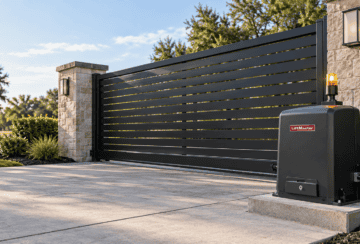
An automatic gate beeping nonstop is hard to ignore. You are trying to leave, the remote does nothing, and the box beside the gate will not stop sounding. The gate operator, the motor and control unit that moves the gate, is the source of that sound. It feels like a breakdown, but the alarm can also be the operator’s safety system stopping the gate on purpose.
This guide is for homeowners and property managers in Plano and across North DFW who want to understand what that alarm may mean before they touch anything. It covers hard and soft shutdowns, other conditions that can sound an alarm, how to approach a reset safely, and why an alarm that keeps coming back needs a diagnosis. The safety rules behind these systems come from the UL 325 standard, which our guide to UL 325 and ASTM F2200 explains in plain language.
A continuous alarm combined with a gate that will not respond may indicate that the operator has entered a safety shutdown. The sound does not identify the cause, because different conditions can produce it and every manufacturer defines its own alarm behavior.
The shutdowns covered here relate to entrapment, which means a person, pet, or object getting caught or pinned by a moving gate. Under UL 325, the safety standard for gate operators, each entrapment zone needs two separate means of protection. According to the Door and Access Systems Manufacturers Association’s Technical Data Sheet #356 (revised 2025), “Two means of entrapment protection are required for each entrapment zone.”
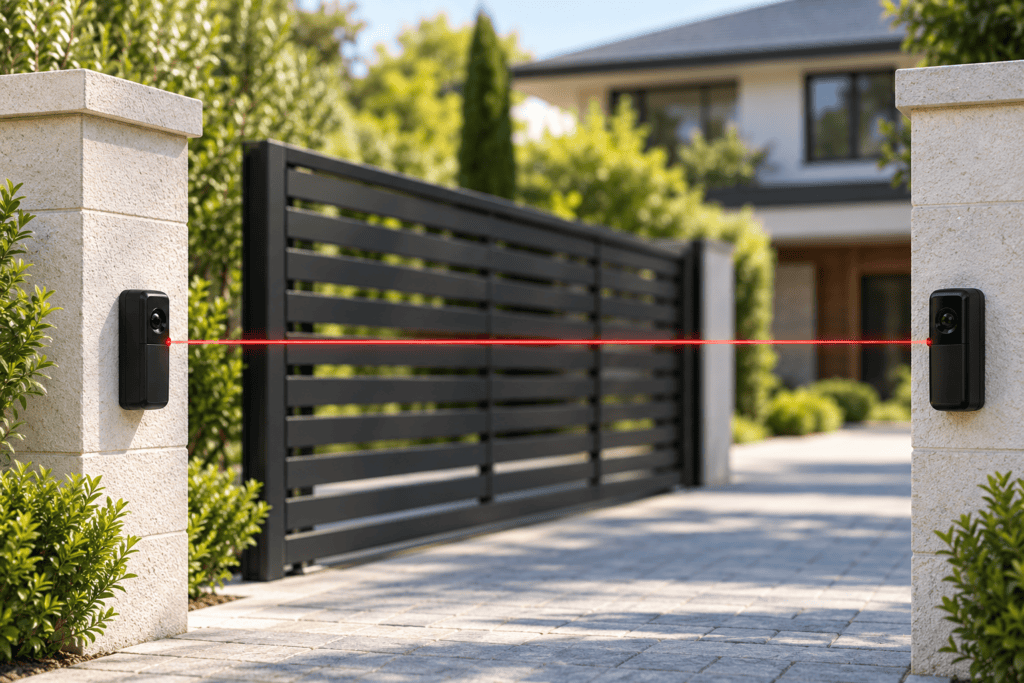
One of those means can be built into the operator, and DASMA notes that this inherent protection counts as one form. DoorKing’s manual calls it the inherent entrapment protection system: when the gate is blocked, the operator senses it and reverses. Other means include external devices such as photo eyes, which use a light beam across the opening, and reversing edges, which are pressure-sensitive strips on the gate’s edge.
Not every beep is an alarm. In DoorKing’s manual, for example, beeps from the radio receiver relate to programming remotes, not to a safety shutdown. Some operators may also use sounds for other conditions, and the meaning of a beep pattern varies by brand and model. The pattern this article focuses on is a steady, persistent alarm paired with a gate that ignores normal commands.
A hard shutdown is a locked safety state in which the operator stops, sounds an alarm, and ignores normal commands until it is reset. What triggers it depends on the manufacturer, so the clearest way to explain it is through one documented example.
DoorKing’s installation manual for its 4302 control box (document 4302-065-L), used with its 6004, 6006, and 6400 gate operators, lists two conditions that cause a hard shutdown. The first is the inherent system activating two consecutive times before the gate completes an open or close cycle. The second is a reversing edge activating and reversing the gate, followed by the inherent system activating before that reversal finishes. The same manual says a fire department input also puts the operator into hard shutdown once the gate is fully open.
According to DoorKing’s 4302 manual, “The audio alarm will sound for five minutes, or until the operator’s reset button is pushed,” and after five minutes it chirps every 5 seconds until reset. That chirp explains why some owners describe a gate that keeps beeping on and off long after the incident.
The manual also describes a milder state called a soft shutdown. Under certain entrapment conditions, the operator stops responding to whatever input was active when the entrapment device sensed the obstruction. In one of DoorKing’s examples, a time clock opens the gate in the morning, an obstruction reverses it before it fully opens, and the gate will not reopen while the clock input is still present. In another, an entrapment device activates while the gate is closing, the gate stops or reverses, and the automatic close timer will not close it.
Not every reversal leads to a soft shutdown. The manual describes a vehicle on a loop, a wire sensor cut into the pavement, striking the opening gate: the gate reverses, but no soft shutdown occurs because the loop immediately resets the operator. A soft shutdown can clear on its own, for example when a blocked photo eye is cleared, or when someone gives a new intended input such as a remote command. The manual describes no alarm for a soft shutdown.
| State | What can trigger it (DoorKing 4302 manual) | Alarm | How it clears |
|---|---|---|---|
| Soft shutdown | Certain entrapment device activations, after which the operator ignores the input that was active at the time, such as a time-clock opening interrupted by an obstruction. Not every reversal causes one. | None described | Some clear when the obstruction clears; otherwise a new intended input (command, safety, or loop input) resets the operator |
| Hard shutdown | The inherent system activates twice in a row before the cycle completes, or a reversing edge reverses the gate and the inherent system activates before the reversal finishes | Sounds for 5 minutes, then chirps every 5 seconds | Reset, then a new open or close command |
| Hard shutdown (emergency) | The fire department input opens the gate fully | Sounds during the entire open cycle | Reset, then a new command |
Other manufacturers use their own names, triggers, and timing, so this table describes one documented product family, not every gate. DASMA’s data sheet does show that the standard itself refers to reset controls used “after two sequential activations of the entrapment protection device,” which is why a reset step after repeated activations appears in operator documentation.
Besides an obstruction-related hard shutdown, an alarm can sound when an emergency access input is used, according to DoorKing’s manual. Some faults do not sound an alarm at all and show up instead as a gate that will not run, sometimes with a warning light on the control board.
Some commercial and community gates have an emergency input that lets fire, police, or EMS crews open the gate. DoorKing’s manual says that when its fire department input is activated, the “alarm will sound during entire open cycle,” and the operator goes into hard shutdown once the gate is fully open. If a community gate is standing open and sounding after an emergency call, this is one possible reason. It still needs to be reset according to the manufacturer’s instructions.
UL 325 counts protection in methods, not only in sensors. DASMA’s data sheet explains that each entrapment zone needs two separate forms of protection and that the operator’s built-in inherent protection counts as one. For slide and swing gate operators under the standard’s 2016 revision, two methods are required in both the opening and closing directions for the operator to function. Accepted methods include inherent protection, photo eyes, contact edges, and constant pressure controls, which only move the gate while someone holds the button, plus inherent force limiting on swing gates. DASMA also notes that if a swing gate has no entrapment zone in one direction of travel, only one device is required for that direction. So a gate does not always need two separate external sensors in each direction; the operator, the gate layout, and the manufacturer’s instructions decide what is required.
When external devices are used, the operator monitors them. DASMA defines “monitor” as the operator checking, at least once during each open and close cycle, that the device is present, properly connected, and free of short circuits and open circuits. In DoorKing’s troubleshooting table, a blinking entrapment input light with an operator that will not run means the protection device is not connected or its wiring is open.
That type of fault is described as a light, not an alarm. If your gate went quiet and stopped working after landscaping, a storm, or a vehicle bump near a sensor, mention it to a technician. Insects can also nest on photo eye lenses and cause their own problems, which our breakdown of the 7 most common electric gate issues covers.
Reset steps vary by manufacturer and model, so follow the owner’s manual for your operator. A reset should only happen after the cause of the shutdown has been identified and corrected. Resetting clears the alarm. It does not fix whatever caused the shutdown.
DoorKing’s property owner instructions put the first step in capital letters: “ALWAYS CHECK THE ENTIRE GATE AREA FOR ANY OBSTRUCTIONS OR DAMAGE FIRST.” The same manual says to find out why the shutdown occurred before resetting. Keep in mind that seeing nothing in the way does not prove the system is safe. A damaged sensor, a wiring fault, or drag in the hardware can be invisible from the driveway. A safe approach for a homeowner looks like this:
DoorKing’s manual says that if the cause cannot be identified and corrected, the operator should be shut off and kept out of service. It warns that putting the operator back into service without correcting the cause of the alarm could result in severe injury or death.
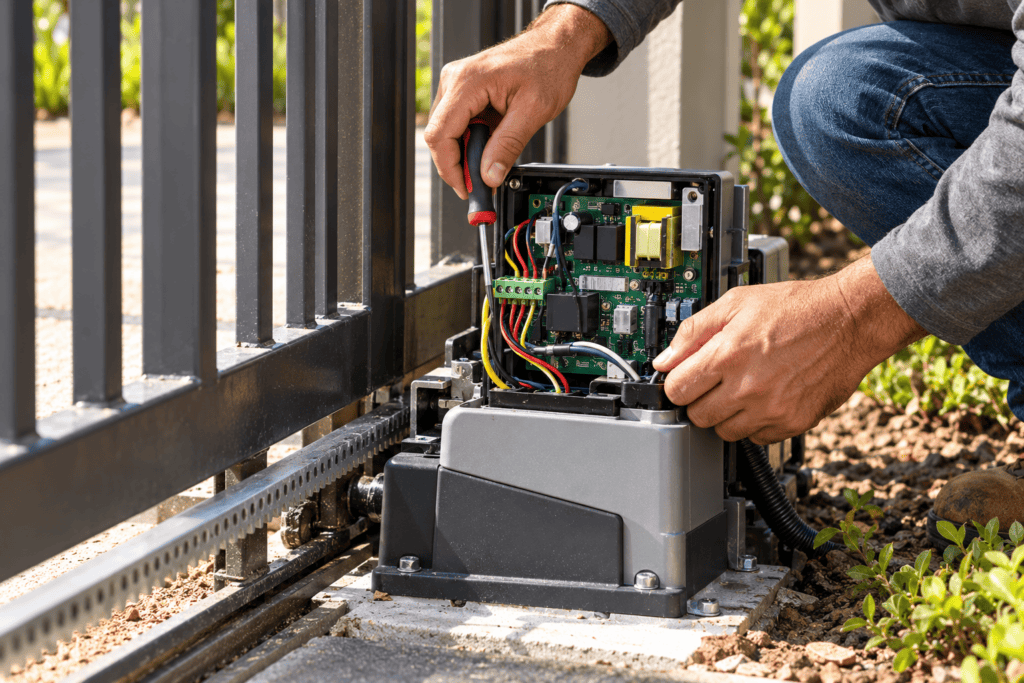
Leave these to a trained technician: opening the control box or touching the circuit board, changing force or sensitivity settings, bypassing, jumpering, or disconnecting any safety device, and pushing or forcing the gate by hand while the cause is unknown.
An alarm that returns after a reset means the condition that triggered the shutdown may still be present, or a different fault is involved. The cause can be mechanical, a safety device, wiring, or the control system, and the operator’s model-specific indications are what narrow it down.
Possible causes fall into a few groups:
Not every one of these produces the same symptom. The table below shows how documented indications differ in DoorKing’s 4302 manual, which is one reason a technician checks the specific operator’s lights, codes, and manual instead of guessing from the sound.
| What you notice | What it may indicate (DoorKing 4302 example) |
|---|---|
| Continuous alarm, gate ignores normal commands | Possible hard shutdown after repeated entrapment activations |
| Alarm while the gate opens after an emergency call | Fire department input activated |
| Gate stops or reverses with no alarm, then ignores the command that was active | Possible soft shutdown (not every reversal causes one) |
| Gate silent and will not run, entrapment light blinking | Protection device not connected or wiring open |
Several of these causes overlap with the reasons a gate stops and reverses, which our guide to why an automatic gate won’t close covers in detail. If your gate also stalls or will not open, our overview of common gate operator issues helps you describe the full pattern to a technician. The fix is a diagnosis, not a stronger setting. Turning up force to quiet the alarm weakens the protection the alarm exists to support.
The alarm matters because it signals that a heavy, motorized gate stopped instead of continuing to push against something that might be a person. It is part of how operators carry out the entrapment protection that UL 325 addresses.
The standard has roots in documented injuries. In a 2001 release, the U.S. Consumer Product Safety Commission reported that it had learned of 32 deaths related to automatic gates since 1985, including 20 children, and estimated nearly 25,000 gate-related injuries from 1990 to 2000. These are historical figures from the period when the two-means requirement was adopted in March 2000, not current statistics. They help explain why today’s operators stop and wait for a person instead of simply trying again.
A beeping gate becomes a repair-or-replace question when the alarm keeps returning after the area is clear, or when the operator is too old to support current safety requirements. A one-time alarm with an obvious cause, like a car parked in the gate’s path, calls for a careful reset, not a new operator.
Age is one factor. DASMA’s TDS #356 notes that two means of entrapment protection have been required in each entrapment zone since 2000, and it recommends replacing any gate operator manufactured before 2000 because it “may not have the ability to attach entrapment protection devices to it.” The wording is “may,” so the limitation depends on the specific model, and a technician can confirm whether an older operator accepts current devices. DASMA also says older operators can still be repaired, while raising liability questions for those with no entrapment sensing at all. On a newer operator, a repeating alarm points first toward a mechanical, safety-device, or wiring diagnosis, since a repair may resolve it.
Our guide on whether to repair or replace your gate operator walks through the signals that decide it: how often a problem returns, whether the diagnosis points to the motor or control board, whether parts are still available, and whether the safety hardware meets current standards.
A continuous alarm with a gate that ignores the remote may indicate a safety shutdown, but the sound alone does not identify the cause. In DoorKing’s 4302 manual, for example, a hard shutdown can follow two back-to-back obstruction detections in one cycle. Check your owner’s manual for what your model’s alarm means.
Check the gate area from outside its path. If you find and remove a clear cause and nothing is damaged, follow the reset steps in your owner’s manual. Resetting clears the alarm but does not fix the cause. If you cannot identify the cause, the steps require opening an electrical enclosure, or the alarm returns, leave the gate out of service and call a technician.
The location and procedure vary by brand and model, so your owner’s manual is the reference. DASMA notes that reset controls used after repeated entrapment activations must be in the line of sight of the gate. DoorKing’s 4302 manual, for example, lists reset push buttons on the circuit board and on the bottom of the control box.
It depends on the manufacturer. In DoorKing’s 4302 manual, the hard shutdown alarm sounds for five minutes and then chirps every five seconds until reset. Other brands use different timing, so check the manual for your model.
The condition that caused the shutdown may still be present, or a different fault may be involved. Possible causes include track or hinge drag, misalignment, a damaged safety device, wiring problems, or control system issues. A technician needs to check your operator’s specific indications before it goes back into service.
No. Repeated resets do not fix the underlying problem. DoorKing’s manual says an operator whose alarm cause cannot be identified and corrected should be shut off and kept out of service, and it warns that ignoring the cause could result in severe injury or death.
No. Do not disable or bypass the alarm or any safety device. The alarm tells you the operator stopped for a safety reason, and removing it or a connected sensor takes away protection for people, pets, and vehicles.
In DoorKing’s 4302 manual, a soft shutdown can follow certain entrapment device activations. It has no alarm, the operator ignores the input that was active at the time, and it clears when the obstruction clears or a new intended command is given. Not every reversal causes one. A hard shutdown follows specific repeated activations or an emergency input, sounds an alarm, and requires a reset. Other brands may define these states differently.
An automatic gate beeping nonstop may mean the operator stopped itself in a safety shutdown, but only your model’s documentation and a proper check can confirm why. Treat the alarm as information, not a nuisance.
Three steps will help. Check the gate area from outside its path before anything else. Use the reset steps in your own owner’s manual only after you have found and corrected a clear cause and nothing is damaged. And if the alarm comes back, stop resetting and get a diagnosis, because a repeating alarm points to a problem the reset cannot fix.
If your gate keeps sounding its alarm or will not come out of shutdown, contact A1 Gate Guys or call 469-277-8333 to ask about a diagnosis. Tell us what the gate was doing when the alarm started, what you saw when you checked the area, and the operator brand if you know it.