
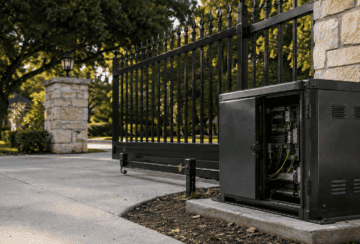
A gate that opens normally but stalls, stops, or reverses when it tries to close is telling you something specific: a component in the closing sequence is either physically blocked or electronically telling the operator to stop. This is different from a gate that won’t move at all, which usually points to a power problem.
Because closing involves more steps than opening, more things can interrupt it. The gate has to travel the full distance, clear its safety sensors the entire time, and reach a stop point without hitting anything. If any one of those steps fails, most operators are built to stop the gate rather than force it through.
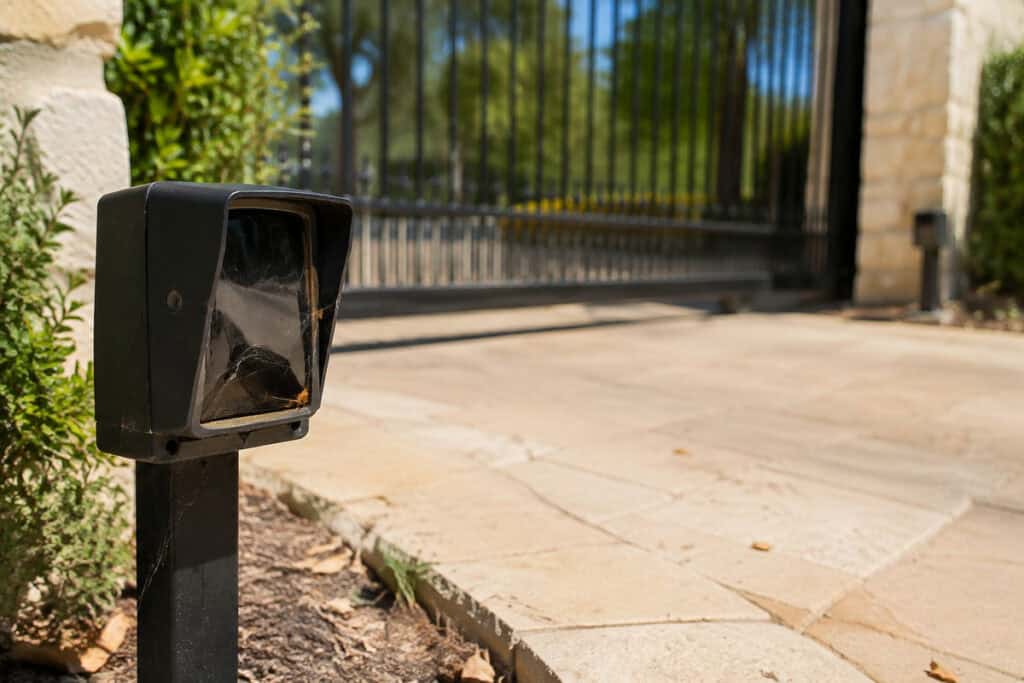
Photo-eye sensors sit near the ground on either side of the gate opening and send an invisible beam across the path. If anything breaks that beam, whether it is a real obstruction, dirt on the lens, spider webs, condensation, or even direct sunlight hitting the sensor at a certain angle, the gate is designed to treat it as something in the way and refuse to close.
This is one of the most common reasons a gate won’t close, and it is also one of the easiest to check visually. A sensor that has drifted out of alignment, been bumped by a mower or a vehicle, or gathered enough dirt and debris over time can trigger this behavior even when nothing is actually blocking the gate. A1 Gate Guys’ rundown of common electric gate issues covers this exact pattern, since blocked sensors are one of the most frequent culprits homeowners run into.
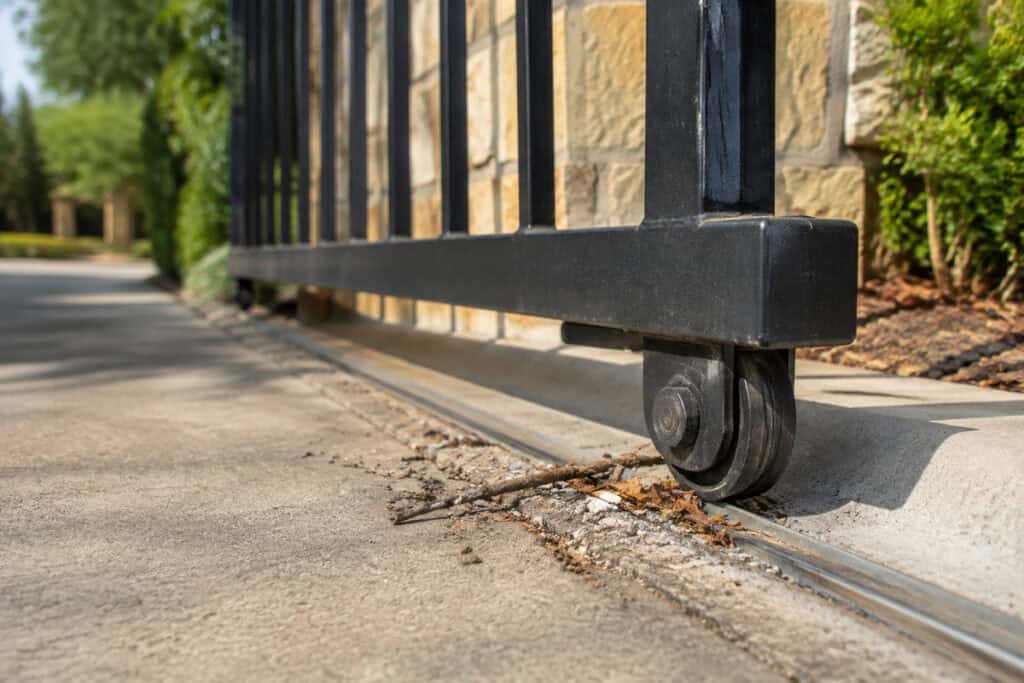
Beyond the sensors themselves, a physical obstruction anywhere along the gate’s path can stop it from closing. On sliding gates, this includes debris, gravel, leaves, or small objects caught in the track, as well as anything lodged in or near the rollers. On swing gates, it can be as simple as something sitting where the gate’s arc needs to pass.
Ice, mud buildup, or a shifted paver near the track can also create enough resistance that the gate’s safety systems read it as an obstruction, even if nothing is technically blocking the beam. A slow visual walk along the entire path the gate travels, not just the spot where it usually stops, is worth doing before assuming the problem is electrical.
Sliding gate operators typically use a chain to pull the gate along its track. Over time, that chain can stretch, loosen, or slip off a sprocket. When this happens, the gate may appear to move partway, hesitate, or fail to complete its closing cycle even though the motor is running.
A chain that has come off entirely can cause the gate to sit still while the motor runs with nothing happening at the gate itself. This is a mechanical issue rather than a sensor or wiring problem, and it usually needs a technician to reseat, adjust, or replace the chain correctly. A1 Gate Guys’ sliding gate operators page goes into more detail on how these chain-driven systems are built.
Limit switches tell the operator exactly where the gate should stop when it is fully open and fully closed. These settings can drift over time due to vibration, minor mechanical shifts, or a switch that has simply worn down.
When the closed-position setting is off, the operator may think the gate has already reached its closed position when it has not, or it may stop the gate short of fully closing. This can look like the gate “gives up” partway through its cycle. Adjusting limit switches correctly involves understanding how the specific operator model handles travel limits, which is not something to guess at without the right reference points.
Not every closing problem is mechanical. A weak or intermittent power supply, a loose wiring connection, a failing receiver, or a control board issue can all interfere with the closing command reaching the motor correctly. Sometimes the gate opens fine on battery backup or residual power but does not have enough consistent power to complete a full closing cycle.
A control board that is beginning to fail can also send inconsistent signals, closing the gate some of the time and not others, which can be confusing because the problem does not show up the same way every time. A1 Gate Guys’ guide to common LiftMaster gate opener problems walks through several of these electrical and receiver-related issues in more detail. This kind of intermittent issue is one of the harder ones to diagnose without hands-on testing.
Swing gate operators push or pull the gate through an arc rather than along a track, so their failure points look different from sliding gates. A gate that has settled unevenly, hinges that have accumulated rust or resistance, or a post that has shifted slightly can all add enough drag that the operator struggles to complete the closing motion.
If the gate feels heavy or resistant when moved by hand with the operator disconnected, or if it visibly drags along the ground at any point, that mechanical resistance is a likely contributor, separate from anything electronic. A1 Gate Guys’ swing gate operators page covers how these arm-driven systems are built, which is useful context for understanding where drag tends to show up.
If your gate starts to close and then reverses, that is usually the safety system working as intended rather than a sign of a random malfunction. Photo-eye sensors and other safety devices exist specifically to stop a gate from closing on a person, a vehicle, a pet, or an object, and reversing is the expected response when that happens.
The UL 325 standard’s external entrapment protection devices, which UL Solutions describes as devices installed on most automated gate systems, cover exactly this kind of hardware: photo eyes, edge sensors, and similar components built to detect an obstruction and stop the gate before it makes contact. A gate that reverses consistently at the same spot is worth paying attention to, since it may mean a sensor is misreading something in that specific location rather than reacting randomly.
A few things are reasonable for a homeowner to look at without any tools or technical knowledge. Check whether the photo-eye lenses on both sides of the gate are clean, dry, and free of spider webs, dirt, or condensation. Walk the entire path the gate travels and look for anything sitting in the track, near the rollers, or within the gate’s swing arc. Note whether the gate stops at the same point every time or somewhere different, since a consistent stopping point often points to a specific sensor or switch, while an inconsistent one can suggest wiring or power. A1 Gate Guys’ common gate operator issues page covers several of these symptoms in more detail if you want to compare notes against what you’re seeing.
Writing down exactly what the gate does, whether it stops immediately, moves partway then reverses, or does not move at all, gives a technician useful information before they even arrive.
Do not disconnect, cover, or bypass a photo-eye or edge sensor to get the gate to close, even temporarily. Bypassing a sensor is not a neutral shortcut. Federal regulators created entrapment-protection requirements for automatic gates specifically because gates without working sensors had a track record of hurting people, and disabling a sensor to force a close recreates the exact gap those requirements were written to close.
Do not force a gate that has stopped partway through its cycle, whether by pushing it manually while the operator is engaged or by repeatedly pressing the remote or wall control hoping it will push through. Forcing a gate against resistance can damage the chain, the arm, the hinges, or the motor, and it does not address whatever caused the gate to stop.
Avoid adjusting the operator’s force or power settings to compensate for a gate that feels stuck or heavy. Increasing force to push through resistance defeats the purpose of the safety system, which is specifically designed to stop rather than force its way past an obstruction. A published DASMA technical guideline on automatic vehicular gate systems directly warns installers and end users against overtightening the operator’s clutch or load-sensing device to compensate for a damaged or stiff gate, since that adjustment can mask a real mechanical problem instead of solving it.
A technician looking at a gate that won’t close should be able to tell you, after a hands-on inspection, which of these categories the problem falls into: a sensor issue, a physical obstruction, a chain or mechanical problem, a limit switch or travel-setting issue, or a power or control board issue. From there, they should be able to explain whether the specific part involved can be adjusted, cleaned, realigned, or needs to be repaired, and why.
That explanation matters more than the fix itself. A gate that gets adjusted without anyone identifying why it drifted out of position is more likely to repeat the same problem later.
If your automatic gate opens fine but stops, hesitates, or reverses when it tries to close, a hands-on look at the sensors, the track, and the operator itself is the fastest way to find out why. Contact A1 Gate Guys and describe exactly what your gate is doing, including where it stops and whether it happens every time, so the visit can start with a clear picture of the problem.
Opening and closing rely on different parts of the system working correctly at the same time. Closing specifically requires the photo-eye sensors to stay clear the entire time the gate is moving, which means a blocked or dirty sensor, an obstruction in the path, or a limit switch problem can stop closing even when opening still works fine.
This is typically the safety system doing exactly what it is designed to do. If a photo-eye sensor or edge sensor detects something in the gate’s path, whether it is a real object or something like dirt on the lens, the operator reverses the gate rather than letting it continue closing.
Yes. Dirt, spider webs, condensation, and even strong direct sunlight hitting the sensor at certain times of day can interfere with the beam the sensors use to detect obstructions. A sensor doesn’t have to be damaged to cause this, just obstructed or misaligned.
No. Forcing a gate that has stopped can damage the chain, hinges, arm, or motor, and it overrides a safety response that exists for a reason. If the gate is stopping, something is either physically in the way or being detected as if it is, and forcing it through does not resolve that.
It’s less common than a sensor or obstruction issue, but a failing receiver or a remote sending an inconsistent signal can interfere with how commands reach the operator. This usually shows up as inconsistent behavior rather than the gate stopping at the same spot every time.
Look at both photo-eye sensors for dirt, debris, or misalignment, walk the full path the gate travels for anything blocking the track or swing area, and note exactly where and how the gate stops. That information helps a technician start the visit with useful context.
Temperature swings, moisture, and even direct sun angle at certain times of year can affect sensor performance and mechanical parts like chains and hinges. A gate that closes fine most days but hesitates during specific conditions is still worth having checked, since it often points to a sensor or alignment issue rather than a coincidence.
A consistent stopping point usually points to something fixed in that location, such as a limit switch setting, a spot on the track with debris or damage, or a sensor positioned near that point. An inconsistent stopping point is more often related to wiring, power, or a control board issue.
Photo-eye alignment can sometimes be checked visually, but adjusting limit switches and travel settings correctly requires understanding how your specific operator model handles those settings. Getting them wrong can cause the gate to stop short, overtravel, or behave inconsistently, so this is usually best left to a technician with the right reference points for your equipment.
Not necessarily. Many closing problems come from something temporary, like debris on a sensor lens or an object briefly in the gate’s path, rather than a broken part. That said, a problem that keeps happening, even after the obvious causes are ruled out, usually means something needs a closer look.